Choosing the right video editing software for OnlyFans can make a noticeable difference to how your content looks and performs. With so many options available in 2026, it can be difficult to know which program is actually worth your time and money.
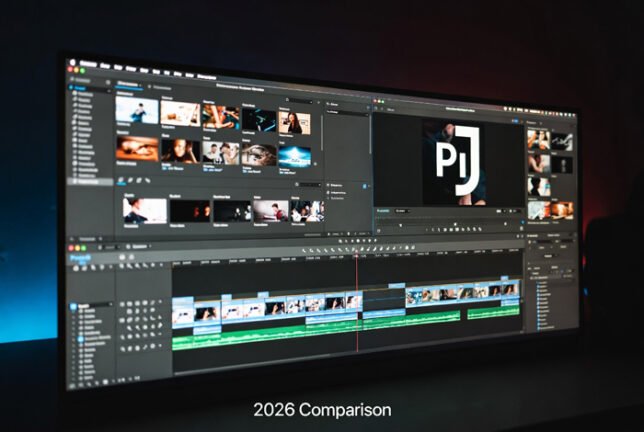
In this guide, I’ve compared the most popular editing software used by OnlyFans creators and professional editors. I’ve focused on real-world factors like ease of use, performance with longer videos, colour grading, and overall value.
Quick Comparison Overview
| Software | Best For | Difficulty | Price (2026) | Colour Grading | Performance with Long Videos | Recommendation |
|---|---|---|---|---|---|---|
| Adobe Premiere Pro | Professional results | Medium | Subscription | Excellent | Very Good | Best overall |
| DaVinci Resolve | Colour grading & free use | Medium | Free / Paid version | Outstanding | Excellent | Best free/paid |
| Final Cut Pro | Mac users wanting speed | Easy | One-time purchase | Very Good | Excellent | Best for Mac |
| CapCut | Beginners & quick edits | Very Easy | Free / Pro version | Good | Good | Best beginner |
| Vegas Pro | Windows users | Medium | One-time purchase | Good | Very Good | Good alternative |
Adobe Premiere Pro
Premiere Pro remains one of the most widely used programs for OnlyFans editing. It offers excellent control, strong colour grading tools, and works well with most camera formats.
Pros:
- Industry standard, so lots of tutorials and support available
- Great integration with After Effects and Photoshop
- Very good performance with 4K and longer videos
Cons:
- Requires a monthly subscription
- Can feel overwhelming for complete beginners
This is usually my top recommendation for creators who want professional results and plan to edit regularly.
DaVinci Resolve
DaVinci Resolve has grown in popularity over the last few years, and for good reason. The free version is genuinely powerful, and the paid version adds even more advanced features.
Pros:
- Best-in-class colour grading tools
- Excellent performance, even with long or high-resolution files
- Free version is very capable for most OnlyFans creators
Cons:
- Steeper learning curve than CapCut
- Interface can feel complex at first
If you’re willing to spend a bit of time learning, DaVinci Resolve offers incredible value — especially if colour and picture quality are important to you.
Final Cut Pro
Final Cut Pro is a strong choice if you use a Mac. It’s fast, stable, and designed specifically for Apple hardware.
Pros:
- Very fast rendering and playback
- One-time purchase (no subscription)
- Clean and intuitive interface
Cons:
- Only available on Mac
- Fewer third-party plugins compared to Premiere Pro
Many professional editors who work on Mac prefer Final Cut Pro for its speed and reliability.
CapCut
CapCut has become very popular with newer creators because it’s free and easy to use. It’s especially good for quick edits and mobile-first workflows.
Pros:
- Completely free for most features
- Very beginner-friendly
- Good mobile version available
Cons:
- Less powerful for complex or long-form editing
- Limited advanced colour grading tools
CapCut is fine when you’re starting out, but many creators eventually move to Premiere Pro or DaVinci Resolve as their content grows.
My Recommendation
| Your Situation | Best Software |
|---|---|
| Want the best overall results | Adobe Premiere Pro |
| Want powerful tools without paying | DaVinci Resolve |
| Use a Mac and want speed | Final Cut Pro |
| Just starting out and want something simple | CapCut |
| Prefer Windows and one-time payment | Vegas Pro |
If you’re serious about growing your OnlyFans page and want content that looks professional, I generally recommend starting with either Adobe Premiere Pro or DaVinci Resolve.
Would You Rather Outsource Your Editing?
Many creators eventually reach a point where editing their own content takes too much time. If you’d prefer to focus on filming and let someone else handle the editing, I offer professional OnlyFans video editing services with over 15 years of experience.
You can learn more here:
Professional OnlyFans Video Editor – 15 Years Experience