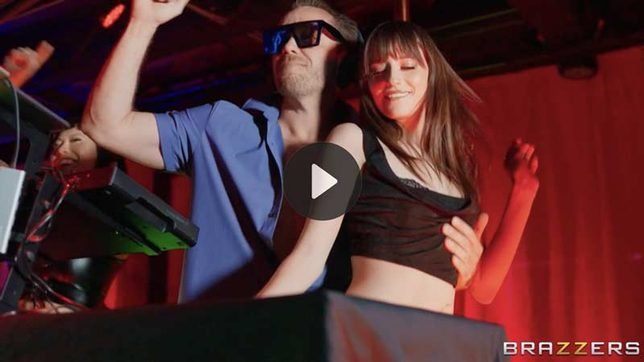
Brazzers has put together a new compilation that gathers a group of its better-known redhead performers into one package. Seeing Red! The Best of Redheads Vol. 2 brings together Monique Alexander, Kendra Lust, Siri Dahl, Jayden Cole, Molly Stewart, Gabbie Carter and Scarlett Jones opposite a roster that includes Keiran Lee, Danny D, Johnny Sins and Xander Corvus.

The release is built around the simple premise that redheads remain a consistent draw for a large section of the audience, and the studio has responded by collecting existing scenes rather than shooting an entirely new multi-performer production.
Compilations of this type tend to serve a practical purpose for viewers who already know the individual performers and want quick access to several scenes without hunting through the catalogue. The volume numbering suggests Brazzers has tested the format before and decided the demand was high enough to justify a second release. Unlike a single narrative feature, this package does not attempt to link the segments with any connecting story. Each section stands on its own, which makes the overall runtime easier to navigate if a viewer only wants specific pairings.
The Performers and Their Backgrounds
Kendra Lust entered the industry in 2012 after working as a registered nurse for roughly seven years. Born Michele Anne Mason in Madison Heights, Michigan, she has described herself as a former tomboy who played basketball and softball in high school. She has won AVN MILF Performer of the Year twice and maintains one of the larger independent fan bases in the category, often referred to as the Lust Army. Her scenes in the compilation sit alongside work from performers who entered the industry under different conditions.
Monique Alexander began performing in 2001 after starting as a stripper in Sacramento at 18. Born Monique Alexandra Rock in Vallejo, California, she spent several years as a Vivid contract girl and later moved into a wider range of studio work. She was inducted into the AVN Hall of Fame in 2017 and has continued to appear in both feature and vignette-style scenes. Her presence in a redhead compilation is consistent with her long history of working across multiple genres rather than being limited to one niche.
Siri Dahl first appeared in adult scenes in 2012 under the name Siri. She took a multi-year break from on-camera work between roughly 2015 and 2019, during which she trained as a competitive powerlifter. She returned to performing around 2020 and has since spoken publicly about industry issues, including an appearance in the Netflix documentary Money Shot: The Pornhub Story. Her inclusion adds a performer whose career has included both early high-volume work and a later, more selective phase.
The remaining female performers—Jayden Cole, Molly Stewart, Gabbie Carter and Scarlett Jones—have each built careers primarily through vignette and series work rather than long-form features. The male cast is drawn from long-standing Brazzers regulars. Johnny Sins, Keiran Lee, Danny D and Xander Corvus have collectively appeared in thousands of scenes across the studio’s catalogue. Their presence is typical of Brazzers compilations, which usually pair established female performers with the site’s most frequently used male talent.
How the Compilation Is Structured
Because the release is assembled from previously shot scenes, the transitions between segments are abrupt. There is no attempt to create a continuous timeline or shared setting. Viewers who prefer a single location and a developing scenario will find the format less satisfying than a purpose-shot multi-performer scene. Those who want variety in pairing and setting, however, get several distinct sequences in one title.
The scenes themselves follow the standard Brazzers vignette pattern: short setup, transition to explicit content, and a finish that is usually external. The compilation does not introduce new technical elements such as extended dialogue, complex locations, or multi-camera coverage beyond what was already present in the original shoots. Its value is primarily in the selection and packaging rather than in new production.
Audience and Catalog Context
Redhead-themed releases have remained a steady category on most major sites for more than a decade. The demand appears stable enough that studios continue to group existing footage under the theme rather than relying solely on new production. Seeing Red Vol. 2 sits in that category. It does not claim to introduce unknown performers or to document a specific production trend. It simply collects a set of scenes that already exist and labels them by hair colour and studio.
For an editor or site owner who regularly posts about Brazzers releases, the compilation offers a single URL that covers multiple performers. That can be useful for internal linking. A page about this volume can link outward to individual performer posts and receive links back from those same pages, creating a small cluster of related content. Whether that structure improves indexing depends on the quality of the surrounding text and the site’s overall authority, but the topical grouping is clearer than a series of unrelated single-scene posts.
Practical Notes for Viewers
Anyone watching the compilation for the first time should expect the usual Brazzers pacing and production values. The segments vary in length and intensity according to the original scenes they were taken from. Some pairings emphasise oral work; others move more quickly to intercourse. There is no consistent theme beyond the hair colour of the female performers and the fact that the footage was shot for Brazzers.
The release is most useful for viewers who already follow several of the named performers and want an easy way to watch multiple scenes in succession. It is less useful for someone looking for a single continuous story or for newer performers who are not already part of the studio’s regular cast. In that sense it functions as a catalogue product rather than a standalone feature.
Closing Observations
Seeing Red! The Best of Redheads Vol. 2 is a straightforward compilation release. It gathers existing Brazzers footage featuring a group of redhead performers and packages it under a clear theme. The individual scenes retain the characteristics of their original productions, and the overall package does not attempt to create new narrative or technical elements. For sites that regularly cover Brazzers output, the title provides a single point of reference that can be linked to related performer or category pages. The release itself does not introduce major changes to the studio’s usual approach; it simply organises material that was already available under a label that has proven durable with a portion of the audience.